
Booking & Payments
Open Play Sessions
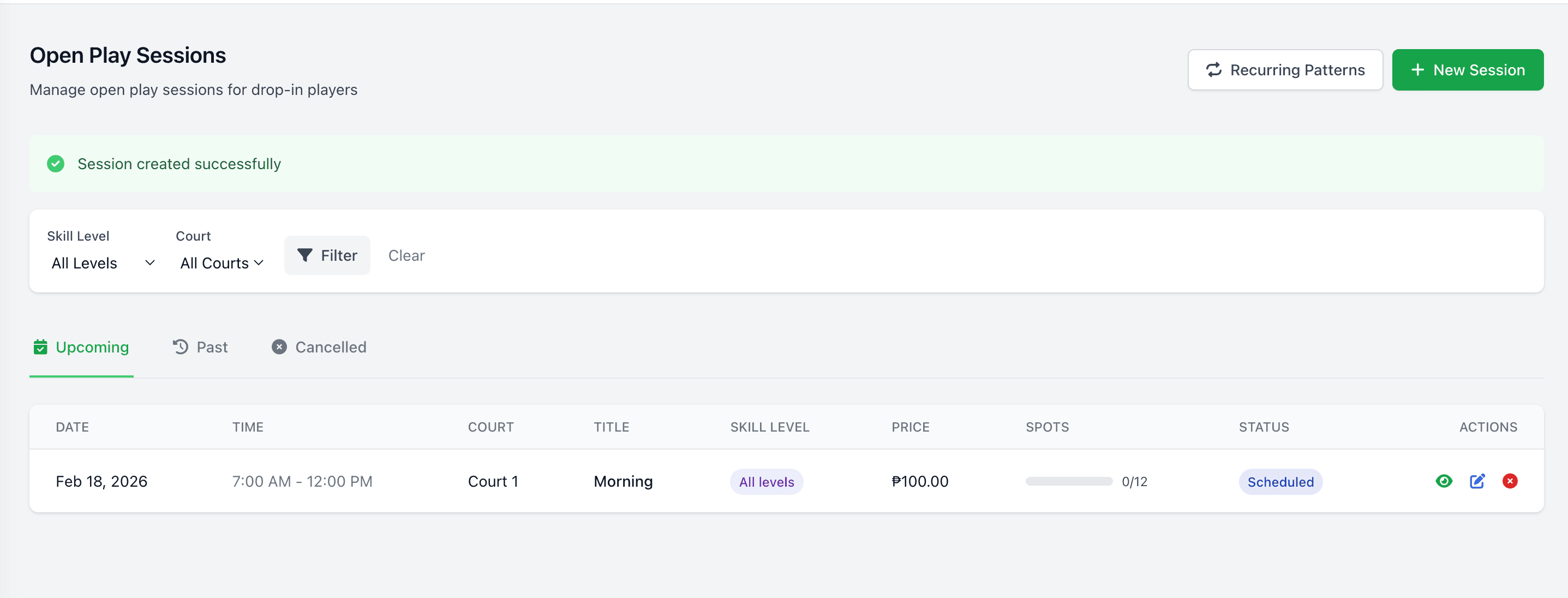
Maximize your court utilization during off-peak hours by hosting open play sessions. Players can browse available sessions filtered by skill level, sign up online, and pay in advance or at the door. Venue owners set capacity limits, pricing, and scheduling rules — PlayServe handles the rest, from sign-ups to check-in.
Capabilities6 included
Session scheduling with capacity limits and live slot counts
Skill-level filtering for balanced play experiences
Online registration with advance payment support
Voucher and coupon support for open play sessions
Automated session reminders and notifications
Attendance tracking and utilization reporting
Frequently asked questions
- What is open play in pickleball?
- Open play is a scheduled drop-in session where players of a set skill level show up, register, and are matched into games. PlayServe handles the sign-ups, live capacity, and check-in.
- Can venues filter open play by skill level?
- Yes. Each open play session has a skill-level range (e.g., 3.0-3.5) that filters out mismatched sign-ups.
- What happens when an open play session fills up?
- When a session reaches capacity, additional players are directed to the court queue for that time slot. They can check in via QR code when their turn comes up.
- Can players pay for open play online in advance?
- Yes. Session fees can be collected at registration via GCash, Maya, QR Ph, or card.
45
venues live on PlayServe
6
sports supported
₱999
per month, all core modules
No credit card
Book the demo and see the whole system before you pay anything.
Month-to-month
₱999/month per facility, unlimited courts. Cancel anytime.
PH-based team
Support in your timezone, from people who have run court venues.
We migrate your data
Bring your logbook or spreadsheet — we move it across during setup.